In today’s fast-paced digital world, small businesses are increasingly turning to no-code platforms to streamline operations, build custom applications, and automate workflows—all without needing advanced programming skills. The best no-code tools for small business empower entrepreneurs and teams to innovate quickly, save valuable time, and cut down on development costs. As we look ahead to 2025, no-code software is becoming indispensable for small business automation and app creation, leveling the playing field for companies of all sizes.
Whether you’re a beginner just exploring no-code platforms or an experienced entrepreneur seeking powerful app builders, understanding the landscape of no-code tools can help you choose the right fit for your goals. This guide covers key concepts, top platforms to consider, and tips to find the best no-code software tailored to your unique project requirements.
What Is No-Code Software and Why Does It Matter?
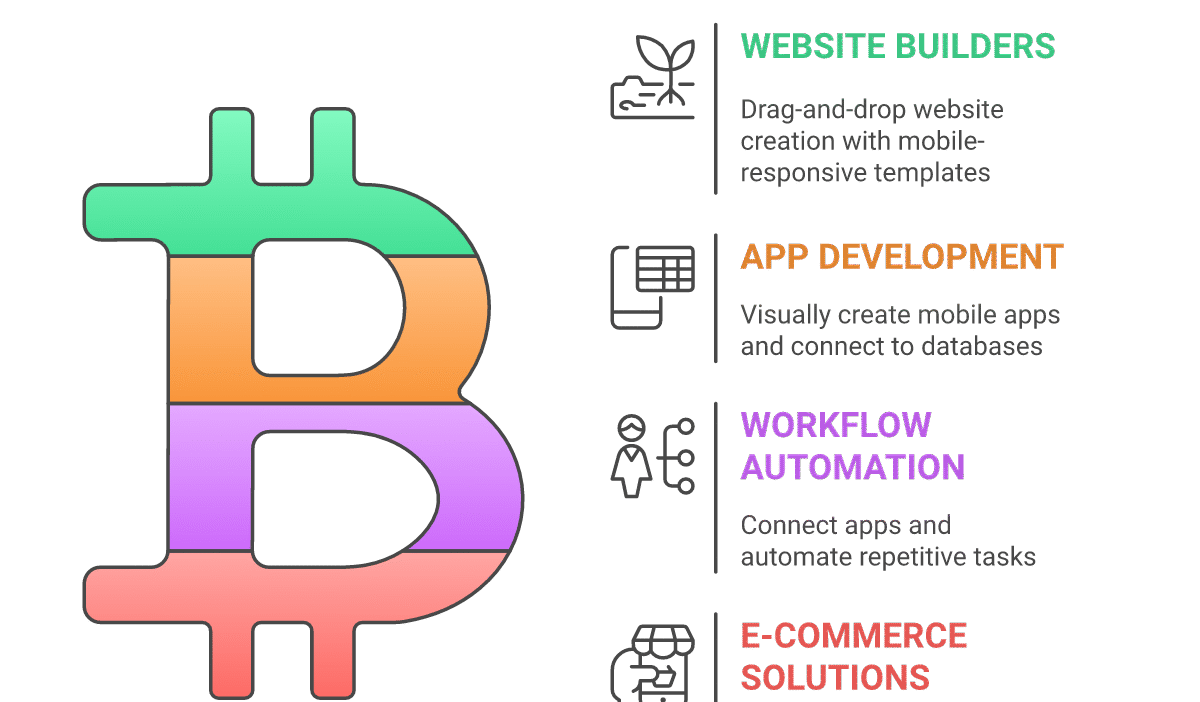
No-code software enables users to create applications, websites, and automated workflows through intuitive drag-and-drop interfaces instead of manual coding. This approach simplifies development, allowing non-technical users to turn ideas into functional digital products quickly.
In 2025, no-code solutions are particularly transformative for small businesses by:
- Reducing reliance on expensive developer resources
- Accelerating time-to-market for new apps and automation
- Enabling rapid iteration and customization
- Enhancing operational efficiency with automation
Top No-Code Platforms for Small Businesses in 2025
Below is a detailed list of the leading no-code tools tailored for small business automation and custom app building. Each option highlights use cases, benefits, and potential limitations.
1. Bubble
Overview: Bubble is a comprehensive no-code platform known for building complex web applications with database functionality and real-time interactivity.
Use Cases: Customer portals, marketplaces, SaaS products, internal tools.
Pros: Highly customizable, robust database and API integration, strong community support.
Cons: Slightly steeper learning curve compared to simpler builders.
Notable Users: Dividend Finance, Comet
2. Adalo
Overview: Adalo is a no-code app builder focused on mobile applications with easy-to-use drag-and-drop functionality.
Use Cases: Mobile customer engagement apps, event apps, loyalty programs.
Pros: Intuitive for beginners, integrates well with external APIs, supports native app publishing.
Cons: Limited advanced customization options for complex apps.
Notable Users: Startups, small brands seeking quick mobile presence.
3. Zapier
Overview: Zapier isn’t an app builder but a powerful automation tool that connects your small business’s apps and automates workflows without code.
Use Cases: Automating marketing campaigns, syncing data between CRM and email platforms, notification triggers.
Pros: Vast app integration library, easy-to-setup triggers and actions, boosts productivity.
Cons: Limited to automation only, no native app building.
Notable Users: Lyft, Adidas
4. Webflow
Overview: Webflow combines no-code website building with CMS capabilities and allows small businesses to create highly customized, responsive websites.
Use Cases: Business websites, landing pages, eCommerce stores.
Pros: Visual design control, clean HTML/CSS export, hosting included.
Cons: Can be overwhelming for complete beginners.
Notable Users: Rakuten, Zendesk
5. Airtable
Overview: Airtable is a hybrid spreadsheet-database platform ideal for managing workflows and small business data without coding.
Use Cases: Project management, inventory tracking, content calendars.
Pros: Highly flexible, integrates with many tools, supports custom views and apps.
Cons: Not a full app builder, limited automation within the platform compared to dedicated tools.
Notable Users: Netflix, Time Magazine
6. Glide
Overview: Glide turns spreadsheets into mobile apps quickly, perfect for data-driven projects without coding.
Use Cases: Employee directories, event management, order tracking.
Pros: Extremely easy to use, real-time data sync, instant app deployment.
Cons: Limited to app formats based on spreadsheet structure.
Notable Users: Small teams and community groups.
7. Integromat (Make)
Overview: Integromat, now branded as Make, is a powerful automation tool connecting apps and services with complex workflows beyond basics.
Use Cases: Data integration, automated reporting, multi-step API workflows.
Pros: Visual workflow builder, advanced logic functions, extensive app connectors.
Cons: Requires some understanding of workflow logic.
Notable Users: Spotify, HubSpot
8. Appgyver
Overview: Appgyver offers a no-code platform for creating professional-grade web and mobile apps with visual development.
Use Cases: Enterprise apps, customer engagement tools, data-driven mobile apps.
Pros: Comprehensive features, free for small businesses, supports complex logic.
Cons: User interface can be complex at first.
Notable Users: Siemens, Adidas
9. Quick Base
Overview: Quick Base is a no-code platform focused on building custom business applications and automating workflows.
Use Cases: CRM, project tracking, operational dashboards.
Pros: Scalable for growing businesses, strong integration options.
Cons: Higher pricing tier, not ideal for very small startups.
Notable Users: GE, Whirlpool
10. Shopify (with no-code apps)
Overview: Shopify empowers entrepreneurs to build online stores without coding, enhanced by no-code app integrations to customize functionality.
Use Cases: E-commerce stores, product catalog management, customer experience customization.
Pros: Easy setup, extensive app marketplace, robust payment solutions.
Cons: Primarily for e-commerce, monthly fees apply.
Notable Users: Allbirds, Gymshark
Tips for Choosing the Best No-Code Tool for Your Small Business
- Define Your Goals: Clarify if you need an app builder, automation platform, or web design tool based on your project’s primary purpose.
- Evaluate Complexity: Match the tool’s capabilities with your app’s complexity. Beginners may prefer simpler platforms like Adalo or Glide.
- Integration Needs: Check for integrations with your existing tools like CRM, email marketing, or databases to ensure smooth workflows.
- Budget and Scalability: Consider pricing models and whether the platform can grow with your business demands.
- User Experience: Opt for platforms with supportive communities, good documentation, and accessible learning resources.
Conclusion
The best no-code tools for small business in 2025 empower entrepreneurs to innovate, automate, and grow without the need to code. From comprehensive app builders like Bubble and Adalo to powerful automation platforms like Zapier and Make, the options available give you the flexibility to choose what fits your unique needs. By understanding your goals, evaluating features, and considering ease of use and integrations, you can select the ideal no-code software to streamline operations and accelerate success in your business journey.
Embracing no-code technology today ensures your small business stays agile, competitive, and ready for the digital future.