Discover the best no-code tools for small business in 2025. Learn about top no-code software, app builders for entrepreneurs, and how to automate your small business efficiently.
In today’s fast-paced digital world, small businesses are constantly seeking ways to streamline operations, innovate, and stay competitive without the heavy investment in technical resources. This is where no-code platforms come into play. They empower entrepreneurs to create functional apps, automate workflows, and manage digital processes without writing a single line of code. If you’re a small business owner looking to boost productivity while saving development time and costs, understanding the landscape of the best no-code tools for small business is vital.
In this guide, we’ll explore what no-code platforms are, why they’re revolutionary for small businesses in 2025, and how to choose the right tool for your unique needs. We’ll also review the top no-code platforms available today, their features, benefits, and real-world use cases.
Understanding No-Code Platforms and Their Importance
No-code software allows users to build applications, automate business processes, and integrate systems through intuitive visual interfaces rather than coding manually. Unlike traditional development, no-code platforms democratize software creation, enabling business owners, marketers, and non-technical staff to launch digital solutions quickly.
With the evolution of no-code software 2025, these platforms now offer advanced functionality such as AI integrations, custom workflow automation, and scalable app building, making them more powerful and accessible than ever.
Top No-Code Platforms for Small Businesses in 2025
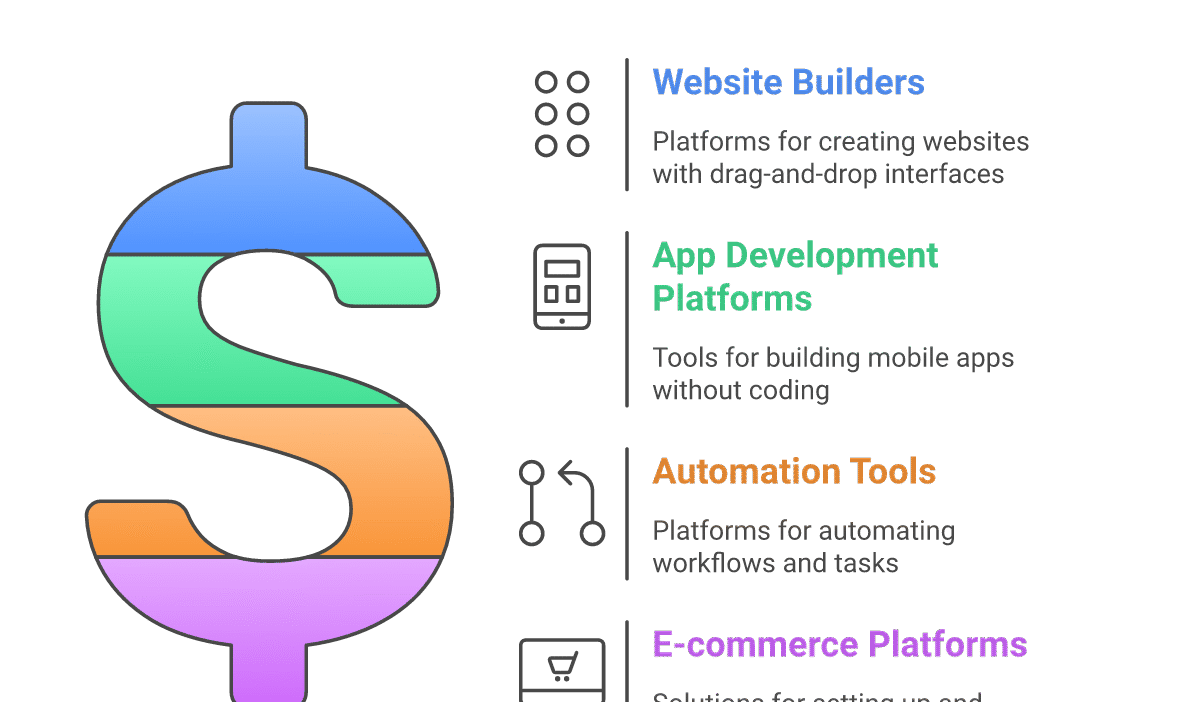
Here’s a curated list of the best no-code tools for small business including popular app builders for entrepreneurs and automation platforms:
- Bubble
- Description: A highly versatile visual web app builder ideal for building complex applications.
- Use Case: SaaS startups, marketplaces, and custom CRMs.
- Pros: Extensive plugin marketplace, robust database capabilities, and scalable hosting.
- Cons: Slight learning curve for absolute beginners.
- Notable Users: Divjoy, Plato, Curology.
- Adalo
- Description: Focused on mobile app creation with intuitive drag-and-drop components.
- Use Case: Entrepreneurs launching MVPs and consumer-facing apps.
- Pros: Native mobile app deployment, easy to use, good for prototypes.
- Cons: Limited backend customization.
- Notable Users: Local businesses, educational apps.
- Zapier
- Description: Automation platform that connects multiple apps via workflows (“Zaps”).
- Use Case: Small business automation, integrating marketing & sales tools.
- Pros: Supports thousands of apps, easy automation setup, no coding needed.
- Cons: Monthly cost can escalate with volume.
- Notable Users: Shopify stores, real estate agencies.
- Webflow
- Description: Website builder with CMS capabilities and visual design freedom.
- Use Case: Small business websites, portfolios, and marketing sites.
- Pros: Professional-quality design, SEO friendly, flexible hosting.
- Cons: Steeper learning curve compared to simpler site builders.
- Notable Users: Lattice, Dell, IDEO.
- Glide
- Description: Creates mobile apps from Google Sheets data in minutes.
- Use Case: Inventory tracking, event management, customer directories.
- Pros: Super fast setup, excellent for data-driven apps.
- Cons: Limited customization beyond spreadsheet data.
- Notable Users: Community organizers, small retailers.
- Airtable
- Description: Spreadsheet-database hybrid with powerful automation features.
- Use Case: Project management, CRM, content calendars.
- Pros: Highly flexible, integrates with other no-code software 2025, strong collaboration tools.
- Cons: May require additional app builders for front-end apps.
- Notable Users: TIME, Expedia, Medium.
- Integromat (Make)
- Description: Visual integration and automation platform that connects apps and services.
- Use Case: Complex small business automation workflows.
- Pros: Advanced logic capabilities, affordable pricing tiers.
- Cons: User interface can be overwhelming initially.
- Notable Users: E-commerce, marketing agencies.
- Thunkable
- Description: Drag-and-drop builder for native mobile apps across iOS and Android.
- Use Case: Entrepreneurs and small businesses targeting mobile audiences.
- Pros: Cross-platform compatibility, real-time testing.
- Cons: Limited backend options compared to other tools.
- Notable Users: Nonprofits, event organizers.
- Appgyver
- Description: Professional-grade no-code platform for creating complex apps without coding.
- Use Case: Enterprises and startups building sophisticated applications.
- Pros: Wide range of integration options, scalable architecture.
- Cons: May be too complex for beginners.
- Notable Users: Nokia, Lufthansa.
- Voiceflow
- Description: Create voice apps and chatbots for Alexa, Google Assistant, and others.
- Use Case: Customer support automation, interactive voice experiences.
- Pros: Easy voice app design, supports multi-platform deployment.
- Cons: Niche use cases compared to general app builders.
- Notable Users: Capital One, Samsung.
Tips for Choosing the Best No-Code Tool for Your Small Business
- Define Your Project Scope: Identify the problem you want to solve and the features needed to address it.
- Consider User Experience: Choose platforms with intuitive interfaces if you’re new to no-code.
- Integration Needs: Ensure the tool integrates well with your existing software stack.
- Budget Constraints: Account for subscription costs and scalability as your business grows.
- Support and Community: Prefer tools with strong customer support and an active user community for troubleshooting and tips.
Conclusion
The rise of no-code software in 2025 is transforming how small businesses operate, innovate, and engage with customers. The best no-code tools for small business offer unparalleled opportunities to build custom apps, automate workflows, and boost efficiency without the need for technical coding skills. Whether you’re an entrepreneur eager to launch an app or a business looking to automate daily tasks, exploring these platforms can save time, reduce costs, and accelerate your digital transformation journey.
By considering your specific needs, budget, and technical comfort level, you can select the right no-code platform that empowers your business to thrive in the increasingly digital landscape.
Understanding No-Code Platforms and Their Importance
No-code software allows users to build applications, automate business processes, and integrate systems through intuitive visual interfaces rather than coding manually. Unlike traditional development, no-code platforms democratize software creation, enabling business owners, marketers, and non-technical staff to launch digital solutions quickly.
With the evolution of no-code software 2025, these platforms now offer advanced functionality such as AI integrations, custom workflow automation, and scalable app building, making them more powerful and accessible than ever.
Top No-Code Platforms for Small Businesses in 2025
Here’s a curated list of the best no-code tools for small business including popular app builders for entrepreneurs and automation platforms:
1. Bubble
– Description: A highly versatile visual web app builder ideal for building complex applications.
– Use Case: SaaS startups, marketplaces, and custom CRMs.
– Pros: Extensive plugin marketplace, robust database capabilities, and scalable hosting.
– Cons: Slight learning curve for absolute beginners.
– Notable Users: Divjoy, Plato, Curology.
2. Adalo
– Description: Focused on mobile app creation with intuitive drag-and-drop components.
– Use Case: Entrepreneurs launching MVPs and consumer-facing apps.
– Pros: Native mobile app deployment, easy to use, good for prototypes.
– Cons: Limited backend customization.
– Notable Users: Local businesses, educational apps.
3. Zapier
– Description: Automation platform that connects multiple apps via workflows (“Zaps”).
– Use Case: Small business automation, integrating marketing & sales tools.
– Pros: Supports thousands of apps, easy automation setup, no coding needed.
– Cons: Monthly cost can escalate with volume.
– Notable Users: Shopify stores, real estate agencies.
4. Webflow
– Description: Website builder with CMS capabilities and visual design freedom.
– Use Case: Small business websites, portfolios, and marketing sites.
– Pros: Professional-quality design, SEO friendly, flexible hosting.
– Cons: Steeper learning curve compared to simpler site builders.
– Notable Users: Lattice, Dell, IDEO.
5. Glide
– Description: Creates mobile apps from Google Sheets data in minutes.
– Use Case: Inventory tracking, event management, customer directories.
– Pros: Super fast setup, excellent for data-driven apps.
– Cons: Limited customization beyond spreadsheet data.
– Notable Users: Community organizers, small retailers.
6. Airtable
– Description: Spreadsheet-database hybrid with powerful automation features.
– Use Case: Project management, CRM, content calendars.
– Pros: Highly flexible, integrates with other no-code software 2025, strong collaboration tools.
– Cons: May require additional app builders for front-end apps.
– Notable Users: TIME, Expedia, Medium.
7. Integromat (Make)
– Description: Visual integration and automation platform that connects apps and services.
– Use Case: Complex small business automation workflows.
– Pros: Advanced logic capabilities, affordable pricing tiers.
– Cons: User interface can be overwhelming initially.
– Notable Users: E-commerce, marketing agencies.
8. Thunkable
– Description: Drag-and-drop builder for native mobile apps across iOS and Android.
– Use Case: Entrepreneurs and small businesses targeting mobile audiences.
– Pros: Cross-platform compatibility, real-time testing.
– Cons: Limited backend options compared to other tools.
– Notable Users: Nonprofits, event organizers.
9. Appgyver
– Description: Professional-grade no-code platform for creating complex apps without coding.
– Use Case: Enterprises and startups building sophisticated applications.
– Pros: Wide range of integration options, scalable architecture.
– Cons: May be too complex for beginners.
– Notable Users: Nokia, Lufthansa.
10. Voiceflow
– Description: Create voice apps and chatbots for Alexa, Google Assistant, and others.
– Use Case: Customer support automation, interactive voice experiences.
– Pros: Easy voice app design, supports multi-platform deployment.
– Cons: Niche use cases compared to general app builders.
– Notable Users: Capital One, Samsung.
Tips for Choosing the Best No-Code Tool for Your Small Business
– Define Your Project Scope: Identify the problem you want to solve and the features needed to address it.
– Consider User Experience: Choose platforms with intuitive interfaces if you’re new to no-code.
– Integration Needs: Ensure the tool integrates well with your existing software stack.
– Budget Constraints: Account for subscription costs and scalability as your business grows.
– Support and Community: Prefer tools with strong customer support and an active user community for troubleshooting and tips.
Conclusion
The rise of no-code software in 2025 is transforming how small businesses operate, innovate, and engage with customers. The best no-code tools for small business offer unparalleled opportunities to build custom apps, automate workflows, and boost efficiency without the need for technical coding skills. Whether you’re an entrepreneur eager to launch an app or a business looking to automate daily tasks, exploring these platforms can save time, reduce costs, and accelerate your digital transformation journey.
By considering your specific needs, budget, and technical comfort level, you can select the right no-code platform that empowers your business to thrive in the increasingly digital landscape.