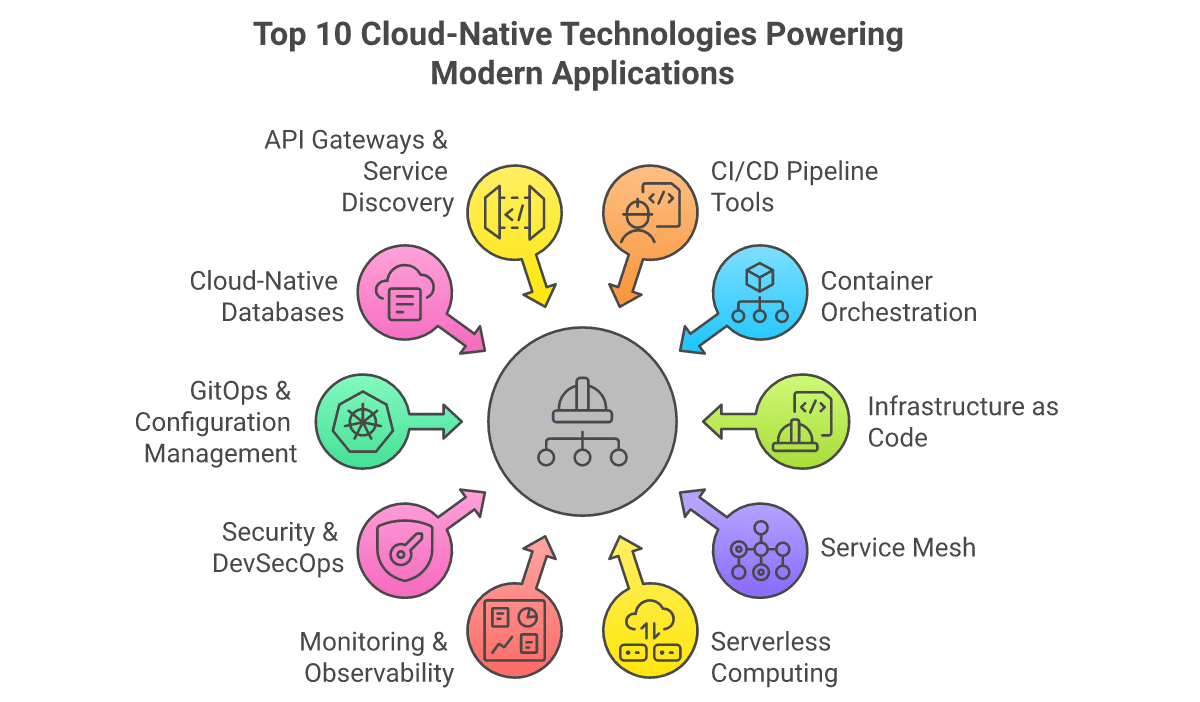
In today’s rapidly evolving digital landscape, cloud-native technologies have become the backbone of modern application development. These DevOps tools represent more than just technical solutions—they embody a fundamental shift in how organizations build, deploy, and scale applications. The move to cloud-native architectures enables businesses to achieve unprecedented levels of agility, scalability, and resilience while reducing operational overhead.
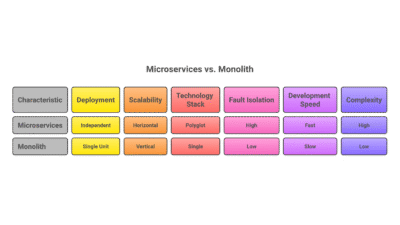
This transformation matters because traditional monolithic applications simply cannot keep pace with modern business demands. Cloud-native technologies allow development teams to break down complex systems into manageable microservices, automate deployment pipelines, and implement robust monitoring and security practices. The result? Faster time-to-market, improved reliability, and the ability to innovate at scale.
Understanding Cloud-Native Fundamentals
Before diving into specific tools, it’s crucial to understand what makes a technology ‘cloud-native.’ Cloud-native applications are designed specifically for cloud environments from the ground up. They leverage microservices architecture, containerization, dynamic orchestration, and declarative APIs to create systems that are resilient, manageable, and observable.
The key principles include: containerization for consistent environments, microservices for modular development, DevOps for collaborative workflows, and continuous delivery for rapid iteration. These technologies work together to create systems that can scale horizontally, recover from failures automatically, and adapt to changing requirements without downtime.
1. Kubernetes: The Container Orchestration Powerhouse
Kubernetes has become the de facto standard for container orchestration, managing the deployment, scaling, and operations of application containers across clusters of hosts. Originally developed by Google and now maintained by the Cloud Native Computing Foundation (CNCF), Kubernetes provides a platform for automating deployment, scaling, and operations of application containers.
Use cases include: managing microservices at scale, automating application deployment and rollbacks, implementing self-healing systems, and optimizing resource utilization across clusters. Notable users include Spotify, Airbnb, and The New York Times.
Pros: Extensive ecosystem, strong community support, excellent scalability, robust security features. Cons: Steep learning curve, complex setup for beginners, requires dedicated operational expertise. Best for: Organizations running containerized applications at scale with dedicated DevOps teams.
2. Docker: Containerization Standard
Docker revolutionized application deployment by popularizing container technology. It packages applications and their dependencies into standardized units called containers, ensuring consistency across development, testing, and production environments. Docker containers are lightweight, portable, and isolated, making them ideal for microservices architectures.
Use cases include: creating consistent development environments, building microservices, implementing CI/CD pipelines, and deploying applications across hybrid cloud environments. Notable users include PayPal, ADP, and MetLife.
Pros: Easy to learn, vast image repository, excellent documentation, strong community. Cons: Security concerns with shared kernel, storage management complexity, performance overhead in some scenarios. Best for: Teams starting their containerization journey or needing consistent environments across development stages.
3. Jenkins: The CI/CD Workhorse
Jenkins remains one of the most popular open-source automation servers for implementing continuous integration and continuous delivery (CI/CD) pipelines. Its extensive plugin ecosystem and flexibility make it a go-to choice for organizations of all sizes looking to automate their software delivery process.
Use cases include: automating build, test, and deployment processes, implementing complex multi-stage pipelines, integrating with various version control systems, and orchestrating deployment across multiple environments. Notable users include LinkedIn, Netflix, and eBay.
Pros: Massive plugin ecosystem, highly customizable, strong community support, free and open-source. Cons: Can become complex to manage at scale, requires maintenance, steep learning curve for advanced features. Best for: Organizations needing highly customizable CI/CD pipelines with extensive integration requirements.
4. Terraform: Infrastructure as Code Pioneer
Terraform by HashiCorp enables infrastructure as code (IaC), allowing teams to define and provision data center infrastructure using a declarative configuration language. This approach brings version control, collaboration, and automation to infrastructure management, eliminating manual configuration drift and enabling reproducible environments.
Use cases include: provisioning cloud resources across multiple providers, managing infrastructure lifecycle, implementing disaster recovery strategies, and creating development environments on demand. Notable users include Uber, Slack, and Twilio.
Pros: Multi-cloud support, declarative syntax, strong community, excellent documentation. Cons: State management complexity, learning curve for advanced features, provider-specific limitations. Best for: Multi-cloud environments and teams needing consistent infrastructure management across providers.
5. GitLab CI/CD: All-in-One DevOps Platform
GitLab provides a complete DevOps platform with built-in CI/CD capabilities, source code management, and security scanning. Its integrated approach eliminates toolchain fragmentation, providing a single application for the entire DevOps lifecycle from planning to monitoring.
Use cases include: end-to-end DevOps workflows, automated security scanning, collaborative code review, and comprehensive project management. Notable users include NASA, Siemens, and Goldman Sachs.
Pros: Integrated platform, excellent security features, strong collaboration tools, comprehensive documentation. Cons: Can be resource-intensive, learning curve for full feature utilization, enterprise pricing. Best for: Teams wanting an integrated DevOps platform with minimal toolchain complexity.